


Breastfeeding tracker Pump log
4.8124.00 Reviews
App Specs
- Version
- Varies with Device
- Updated On
- License
- Free
- Downloads
- 1,000,000+
- Developer
- Demapps LLC
- Categories
- Parenting
- Platform
- Android, iOS
Screenshots
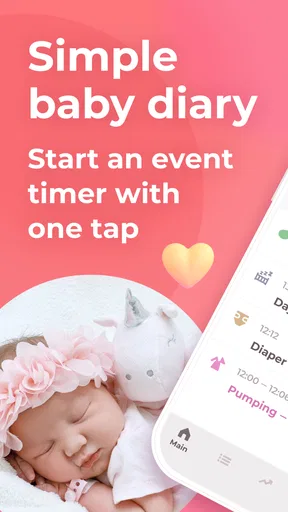
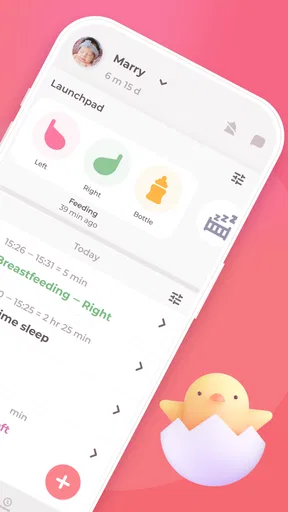
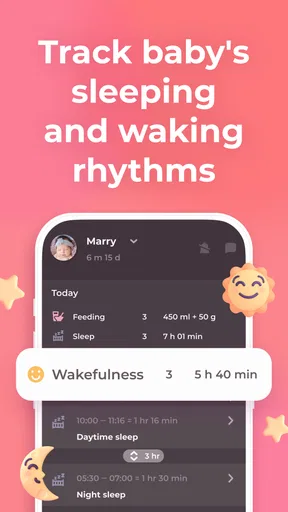
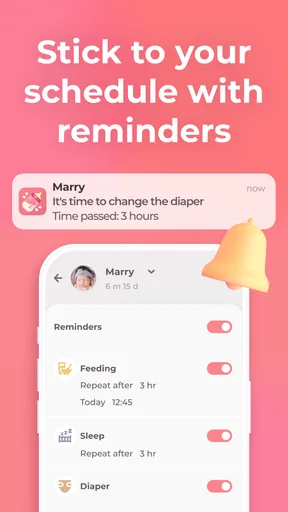

 Analysis by AppCompare
During a busy feeding routine, the hardest part can be remembering what happened last time: which side you used, when you pumped, or whether a diaper change was before or after a nap. I find a tracker most useful when it takes that mental bookkeeping off my hands without turning caring for a baby into a spreadsheet exercise. Breastfeeding tracker Pump log is built around that practical job, bringing feeding, pumping, diapers, sleep, care, and newborn growth into one parenting app.
A focused tool for changing routines
The app is developed by Demapps LLC and is currently at version 7.1.1. It is free to install, with optional in-app purchases priced from $0.99 to $49.99 per item. That gives parents a way to try its tracking approach before deciding whether any paid option fits their needs. Its Everyone age rating describes the app’s content classification; it should not be confused with medical guidance or a substitute for a clinician’s advice.
Its core appeal is the mix of everyday records. A parent can use it to keep feeding and pumping notes alongside diaper changes and sleep, rather than splitting those details across several apps or scraps of paper. That is particularly handy when more than one adult helps with care: a shared record can make a handoff clearer, although each caregiver still needs to enter information consistently for the log to be useful.
What the current version means in practice
The app was released on December 24, 2020, and its present version shows that it has continued to receive changes since its initial release. I would treat that as a sign of an evolving product, not proof that a specific feature has recently changed or that every user will notice a difference. The available release facts do not establish a version-by-version history, so it would be misleading to claim a particular improvement or redesign.
For someone already using the app, the sensible approach is to check the current version on their device and continue with the logging habits that work for their household. A version number alone does not tell me whether an interface detail has moved or whether a particular workflow has changed. New users, meanwhile, can judge the app on the job it performs now: collecting practical baby-care notes in one place.
Where the record helps—and where it doesn’t
The strongest use case is a routine with enough moving parts that memory becomes unreliable. Picture a parent feeding during the night, pumping after breakfast, and then handing care over to someone else for a few hours. A record of the last feed, pumping session, diaper, and sleep period can make that handoff less dependent on tired recollection. The benefit is not that the app makes decisions for you; it is that it can make the recent sequence easier to review.
There is a trade-off: any tracker is only as helpful as the entries people actually make. If opening an app and recording every small event feels like another chore, the log can quickly become incomplete. I would start by tracking only the details that answer a real question for your family—for example, feeding times and pumping sessions—then add other categories if they prove useful. That keeps the record from becoming work in its own right.
Worth Reading Before You Choose

Flipboard Shows What News Apps Must Do Beyond the Feed

Switching to Android Auto Means Rethinking Your Driving Routine

Google Calendar Makes a Crowded Week Easier to Manage

Ludo King Makes the Most of the Minutes Between Plans

Baby Panda World Brings Quick Play to Modern Phones, but Its Game Library Feels Busy

ESPN’s Live Game View Makes Following Close Games Easier
Who should choose it
With an average rating of 4.8 from around 20,000 ratings and more than 500,000 installs, the app has attracted a substantial audience, though popularity cannot tell you whether its logging style suits your household. I would consider it especially relevant for breastfeeding parents who also pump, caregivers who need a clearer handoff, and families who want feeding and care notes together. It may be less appealing if you prefer paper, want to record only an occasional feed, or find frequent phone use distracting during care.
Compared with a notes app, a dedicated tracker gives baby-care events a clearer structure instead of leaving everything in a running text entry. Compared with a simple feeding timer, this app’s broader focus can be more useful when pumping, diapers, sleep, and growth all matter to the same routine. The flip side is that a broader log asks for more decisions about what to record. If you only need a basic reminder or a private notebook, a simpler alternative may be a better fit.
Getting Started with Breastfeeding Tracker Pump Log
First things first, downloading and setting up the Breastfeeding tracker Pump log is a breeze. Whether you're on Android or iOS, just head over to your app store, search for it, and boom, you're ready to go. Once you open the app, you'll find a clean and intuitive interface that's easy to navigate. No complicated menus or overwhelming options, just straightforward features to make your life a little less chaotic.
Features You'll Love
Now, let's get into the nitty-gritty of what this app offers. One of the standout features is the ability to log breastfeeding sessions with just a few taps. You can track which side you started on, the duration, and even make notes if needed. It's like having a digital diary for your breastfeeding journey.
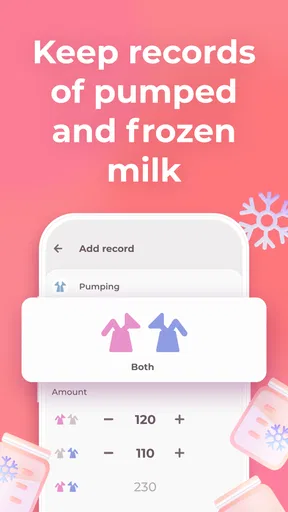
But that's not all! The app also allows you to log pumping sessions. You can record the amount of milk pumped, the time it took, and even set reminders for your next session. This is super handy for those of us who need that little nudge to stay on track.
Another great feature is the ability to track diaper changes. I know, it sounds a bit much, but trust me, it's incredibly useful to see patterns in your baby's habits. Plus, the app lets you log bottle feedings and solid foods, making it a comprehensive tool for monitoring your baby's diet.
Making the log work for you
One useful way to get more from the feeding history is to treat it as a prompt for better questions, not as a verdict. If you are trying to remember which side you last started on, a quick look at the record can help you orient yourself. If you are comparing pumping sessions, notes about the circumstances may be more meaningful than a number alone. Keep entries factual and brief; the aim is to reduce guesswork, not document every detail of the day.
For a household with multiple caregivers, agree on a small set of habits before everyone starts entering information. Decide what counts as a completed feed, whether a bottle should be logged separately, and who will record an event when the other adult is busy. That simple agreement prevents duplicate or ambiguous entries. If a caregiver cannot log something at the moment, a short handoff note later may be more realistic than expecting perfect real-time tracking.
Reminders can be useful when pumping has to fit around work, errands, or rest, but I would set them cautiously. A reminder should support a plan you have already discussed with your healthcare professional, not dictate a feeding schedule or create pressure to meet an arbitrary target. If notifications start to feel stressful, revise or stop using them rather than letting an app alert outweigh your own judgment and your baby’s cues.
Reading patterns without overreading them
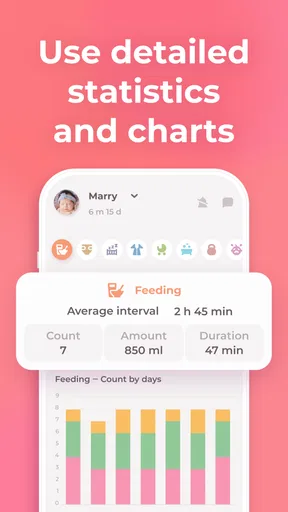
Charts and summaries can make a sequence easier to scan than a long list of entries. I would use them to notice practical patterns—such as which parts of the day tend to be busiest or when pumping is easiest to remember—not to diagnose a feeding problem. A baby’s needs change, and a graph cannot explain why a particular session was different. If you have concerns about feeding, growth, hydration, or your baby’s health, discuss them with a qualified professional rather than relying on an app’s visualizations.
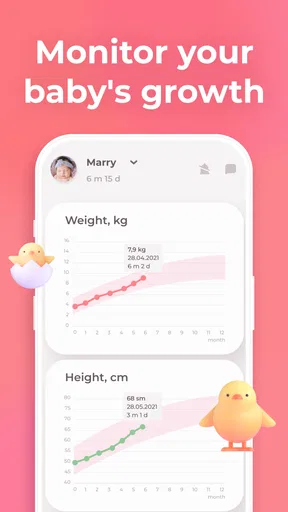
Growth tracking is most useful when it supports a conversation with a pediatric professional and the measurements are entered carefully. It is not a reason to weigh or measure more often than advised, and a record should not become a source of anxiety. I would keep medical measurements separate from casual observations in my mind: the app can help organize what you enter, but it cannot validate a measurement or interpret it in context.
Privacy, effort, and practical boundaries
Baby-care logs can contain personal details, so before entering information I would review the app’s current privacy controls and decide what I am comfortable storing. I would also consider who can access the device itself, especially if several people use it. These are sensible checks for any parenting tracker, rather than a reason to assume a particular policy or sharing arrangement.
Battery, screen time, and the urge to check a phone are small but real parts of the trade-off. When a feed is calm, recording it immediately may be easy; when a baby is unsettled, tending to the baby matters more than producing a perfect entry. I would allow occasional gaps and avoid reconstructing a whole day from memory unless the information is genuinely needed. A useful log should serve the family, not make every missed tap feel like a failure.
The app is free to start, but the in-app purchase range means it is worth checking what any optional purchase actually includes before paying. I would not assume that a paid item is necessary for basic usefulness, or buy one just because a feature sounds convenient. Try the everyday logging routine first; if the free experience already answers your questions, there may be no reason to spend anything.
When a different approach makes more sense
If you share care with someone who will not reliably open an app, a paper note in a visible place may work better for handoffs. If you already use a family organizer and only need occasional feeding notes, adding a simple entry there may avoid maintaining another record. On the other hand, when breastfeeding and pumping records need to sit beside diapers and sleep, a purpose-built tracker can be more orderly than adapting a general notes tool.
I would also skip this style of app if detailed logging increases stress or distracts from responsive care. Some parents value patterns; others feel watched by their own records. Neither reaction is wrong. You can use only the categories that help, pause tracking, or choose a less detailed method. The best system is the one your household can maintain without turning care into administration.
Why I Recommend This App
What really sets the Breastfeeding tracker Pump log apart is its simplicity and efficiency. It's designed with busy parents in mind, providing all the necessary tools without any unnecessary fluff. The customization options are a nice touch too. You can adjust settings to match your preferences, which makes the app feel personal and tailored to your needs.
The app also offers insights and analytics. You can view charts and graphs that give you a visual representation of your baby's feeding patterns. It's quite satisfying to see all the data laid out so clearly, helping you make informed decisions about feeding schedules and routines.
Community and Support
We all know how crucial support can be, especially during the early months of parenting. The app includes a community feature where you can connect with other parents. It's a space to share experiences, ask questions, and find reassurance that you're not alone in this journey. Plus, the developers seem pretty active in updating the app and providing support, which is always a plus.
I would approach community conversations as peer support rather than professional advice. Other parents can share what has helped them, but their experiences may not apply to your baby or circumstances. For medical questions, a clinician is the right person to ask. If you prefer not to participate in a community, the tracking functions can still be the main reason to use the app; social interaction does not need to be the point of a personal log.
What to watch as you use it
The most useful test is whether the app still feels manageable after the novelty wears off. Notice whether logging is quick enough during ordinary care, whether the history helps with handoffs, and whether the charts answer questions you actually have. If you find yourself entering details only to satisfy the tracker, narrow the routine to a few essentials. If a future version changes something important to your workflow, reassess then rather than assuming every update will improve your experience.
For installation, check that your device meets the listed minimum operating-system requirement of 8.1 and confirm that the app is available for your platform before planning a shared routine around it. The product is intended for everyone by its content rating, but its practical value is most specific to parents and caregivers managing infant care. That distinction helps set expectations: broad content suitability does not mean every household needs a detailed tracker.
Final Thoughts
In conclusion, the Breastfeeding tracker Pump log is a fantastic tool for new parents. It's got everything you need to keep track of your baby's feeding and diaper habits, all wrapped up in a user-friendly package. Whether you're breastfeeding, pumping, or both, this app can help you stay organized and stress-free. So, if you're looking for a reliable companion to assist you in your parenting journey, give it a try. You might just wonder how you ever managed without it!
My recommendation is more measured: try it if keeping feeding and care details together would lighten your mental load, especially when pumping or sharing duties. Begin with a few entries, see whether the record genuinely helps, and keep medical decisions with the professionals who know your situation. If tracking becomes another demand, choose a simpler method. For the right family, this app can be a practical companion; it does not have to become the center of parenting to earn its place on your phone.
Pros
- Intuitive interface simplifies tracking.
- Custom reminders for feed times.
- Syncs data across multiple devices.
- Tracks baby's growth and milestones.
- Supports pumping session logging.
Cons
- Limited integration with health apps.
- Some features require premium upgrade.
- No multi-user support for caregivers.
- Occasional syncing delays reported.
- Ads can be intrusive at times.
FAQs for Breastfeeding tracker Pump log
What is the Breastfeeding Tracker Pump Log app used for?
The Breastfeeding Tracker Pump Log app is designed to help new parents monitor and manage their breastfeeding and pumping routines. It allows users to track feeding times, durations, and amounts. This app provides an organized way to maintain a record of your baby's feeding habits, ensuring that you can easily monitor their nutrition and growth.
Is the Breastfeeding Tracker Pump Log app user-friendly?
Yes, the app is designed with a user-friendly interface that makes it easy for parents to log feedings and pumps. The layout is intuitive, allowing you to quickly input data and view summaries. This simplicity ensures that even sleep-deprived parents can efficiently use the app without added stress.
Does the app offer reminders or notifications for feeding times?
Absolutely. The Breastfeeding Tracker Pump Log app includes customizable reminder features that notify you when it's time for the next feeding or pumping session. This is particularly helpful for parents who need to maintain a consistent schedule or for those who are juggling multiple tasks throughout the day.
Can I track multiple babies with this app?
Yes, the app supports tracking for multiple babies, making it ideal for parents with twins or more. You can create separate profiles for each child, ensuring that their individual feeding and pumping data is accurately recorded and easily accessible at any time.
Is my data safe and secure on the Breastfeeding Tracker Pump Log app?
The app prioritizes user privacy and data security. It employs encryption and secure data storage practices to ensure that your personal information and feeding records are protected. Users can rest assured that their data remains confidential and is not shared with third parties without consent.


